Note Board extension correctly installed!
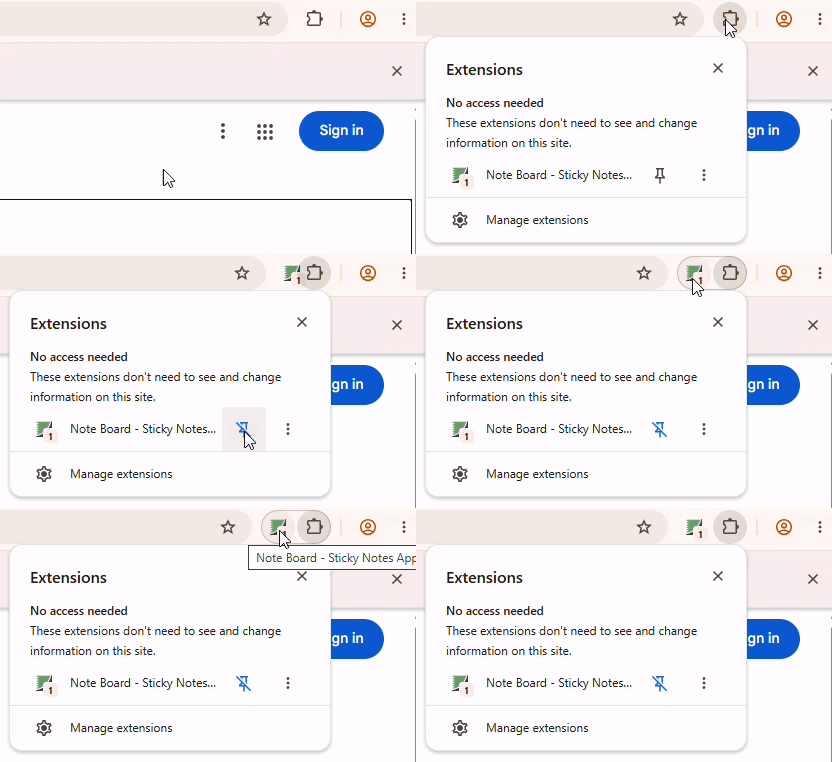
Now you can start using the extension by clicking on the icon  on the toolbar (top right).
Make sure to pin it to the bar by clicking on the extensions management icon (attached image)
New logo, design improvements and user experience.
Connections between notes to make mind maps. You can add texts to connections.
Connections between notes to make mind maps. You can add texts to connections.
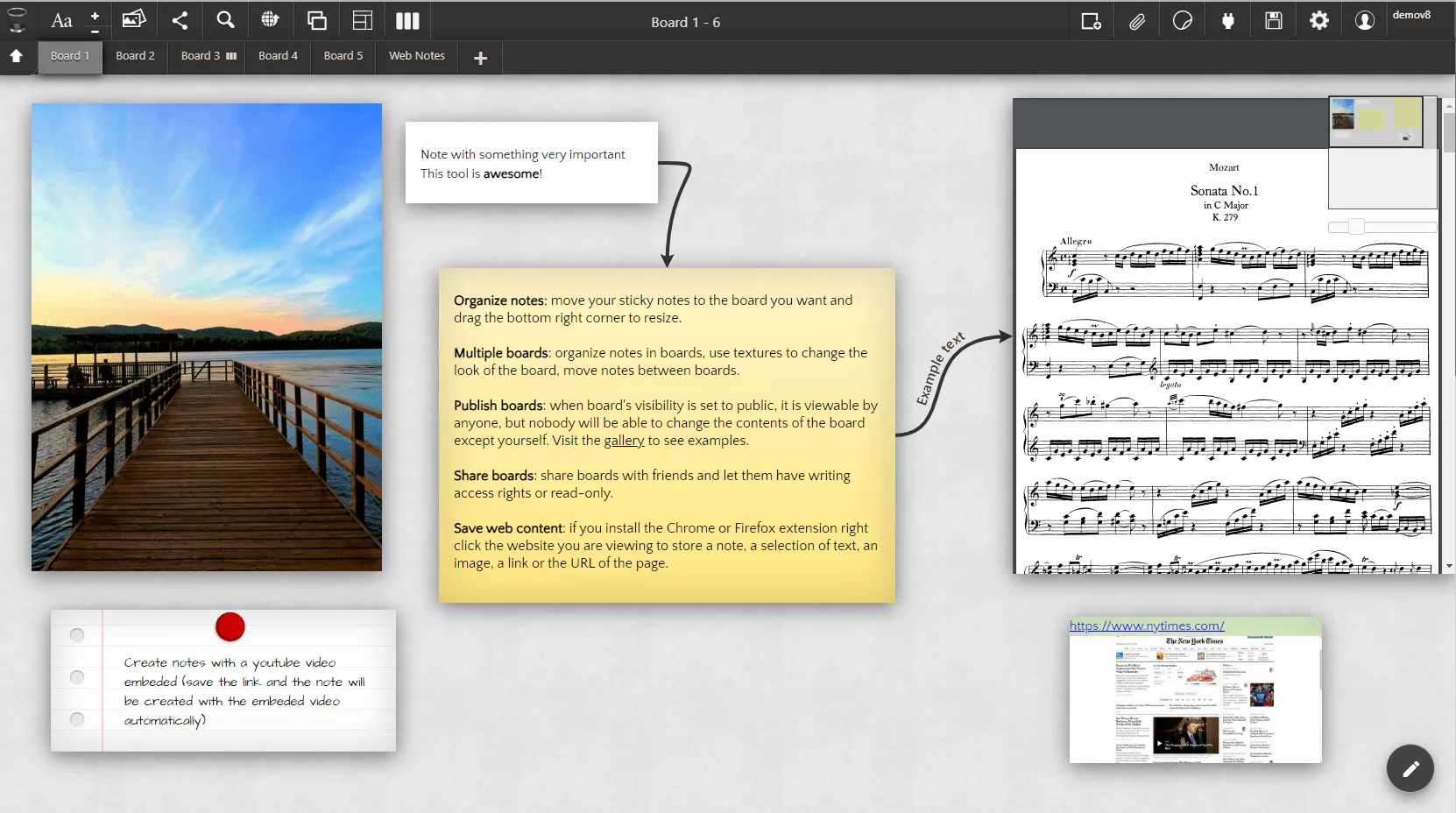
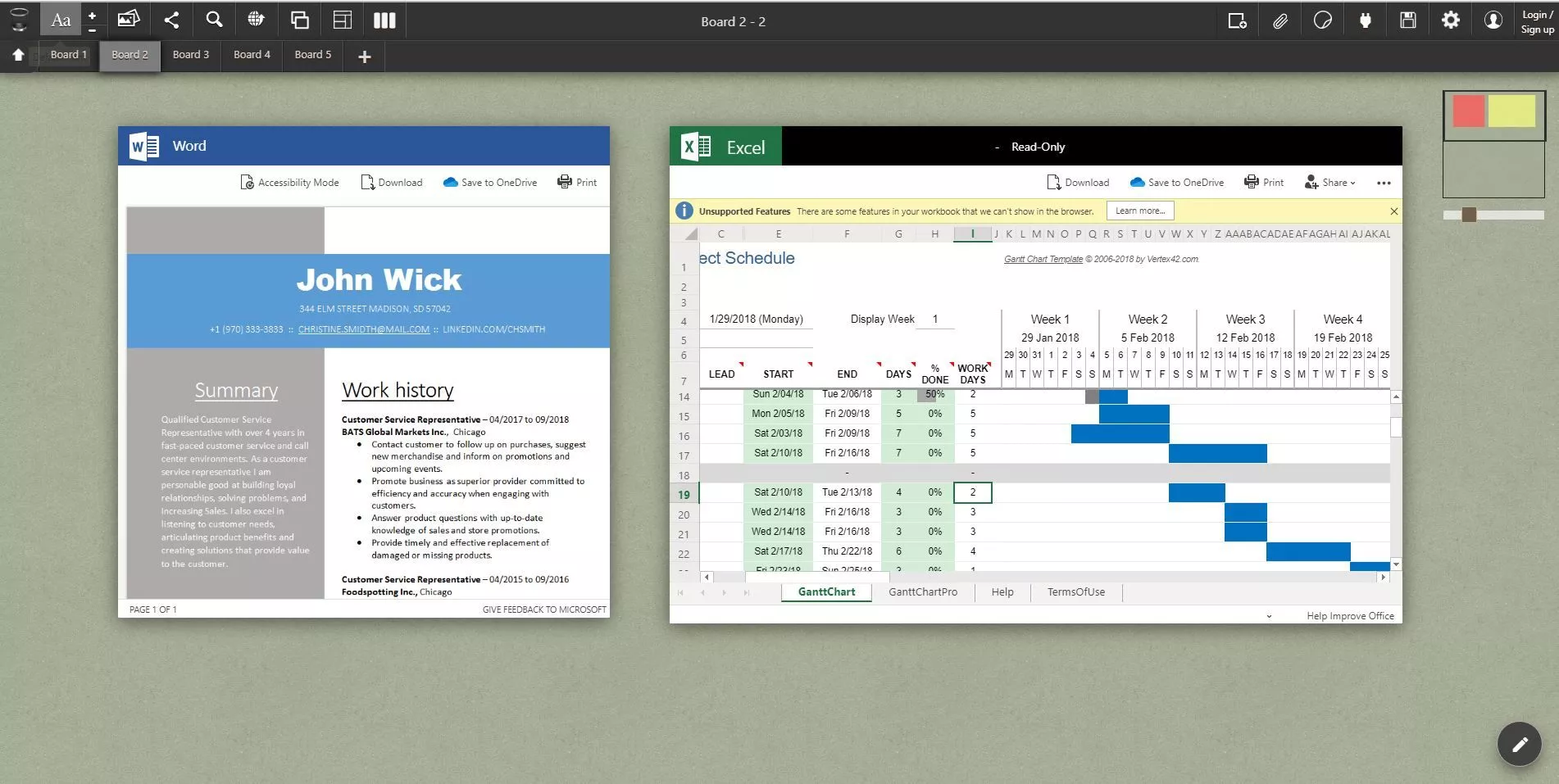
Upload of files of any kind (previously you could only upload images) and creating notes with them with a link or displaying embedded content if possible.
In the image you can see notes with a Word and an Excel file (you cannot edit the content just read it)
In the image you can see notes with a Word and an Excel file (you cannot edit the content just read it)
PREMIUM
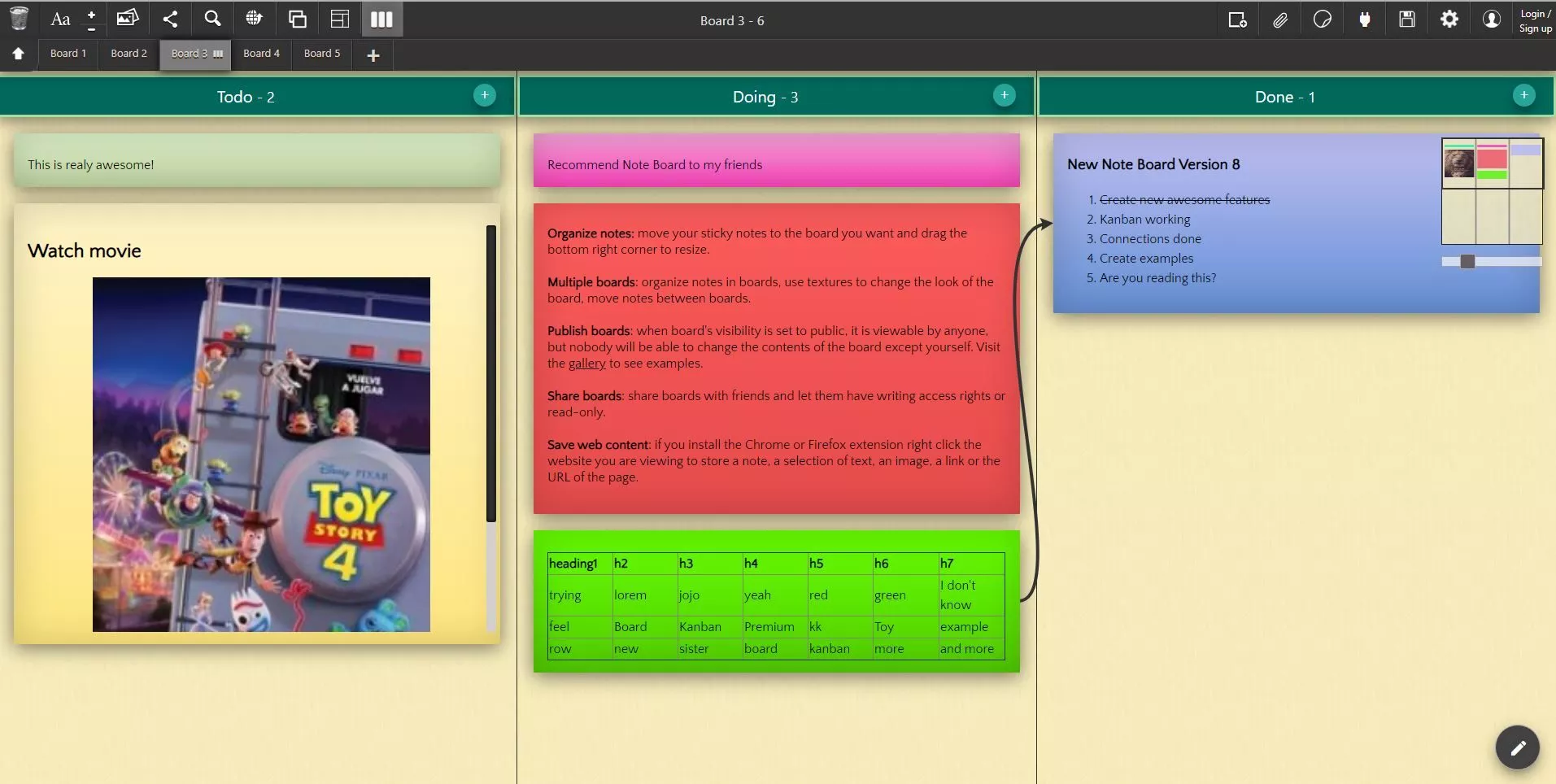
Kanban boards to increase productivity.
You can put the columns you want each one with their name.
You can put the columns you want each one with their name.
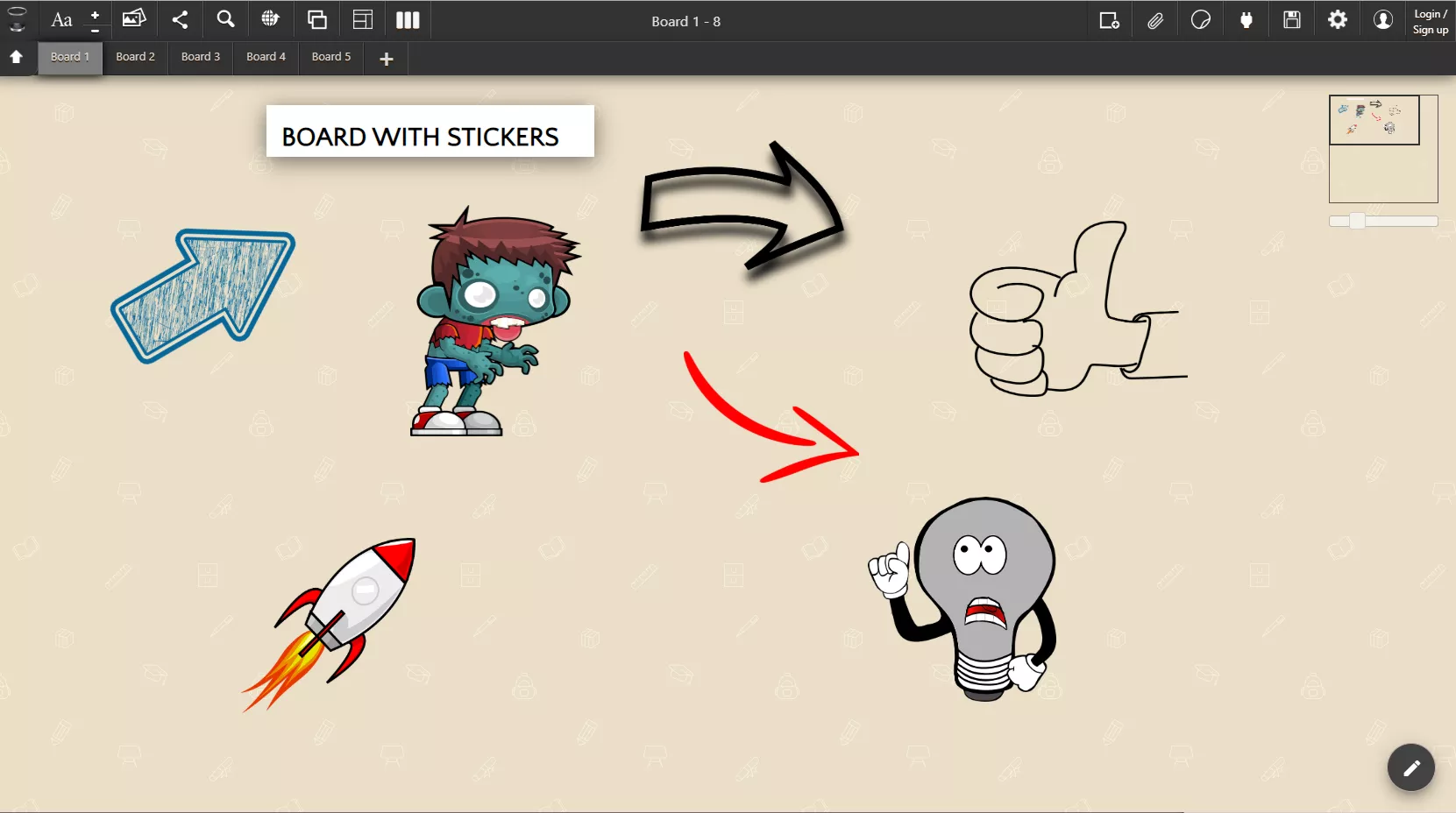
Stickers. Image library to decorate the board and give it more expressiveness
Like any other note you can move, resize or edit them.
Like any other note you can move, resize or edit them.
PREMIUM
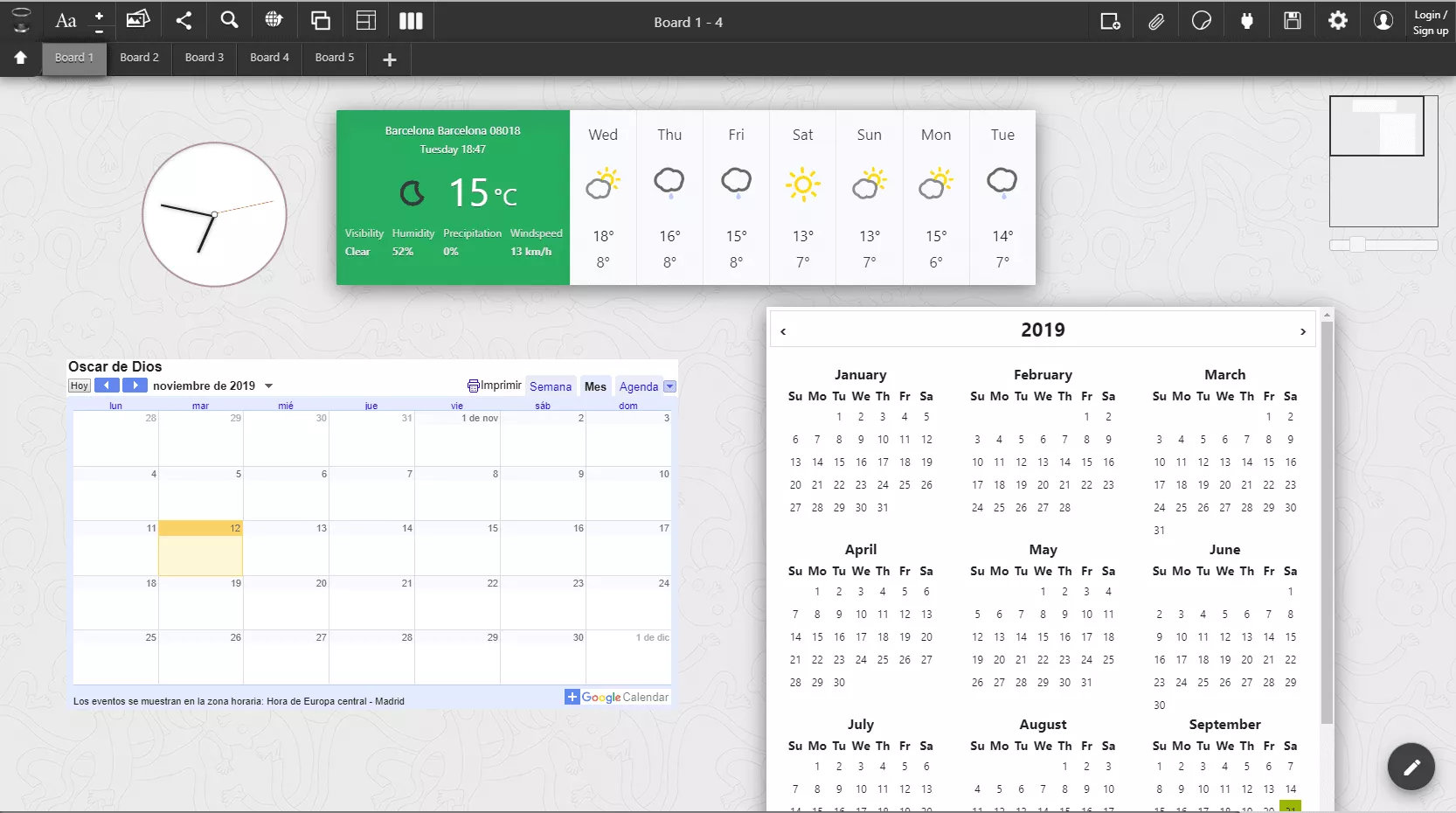
Plugin notes with different functionalities. Note library with some kind of functionality such as clock, weather forecast or Google calendar.
Like any other note you can move, resize or edit them. Initially there are only four types but it will go away increasing over time
Like any other note you can move, resize or edit them. Initially there are only four types but it will go away increasing over time
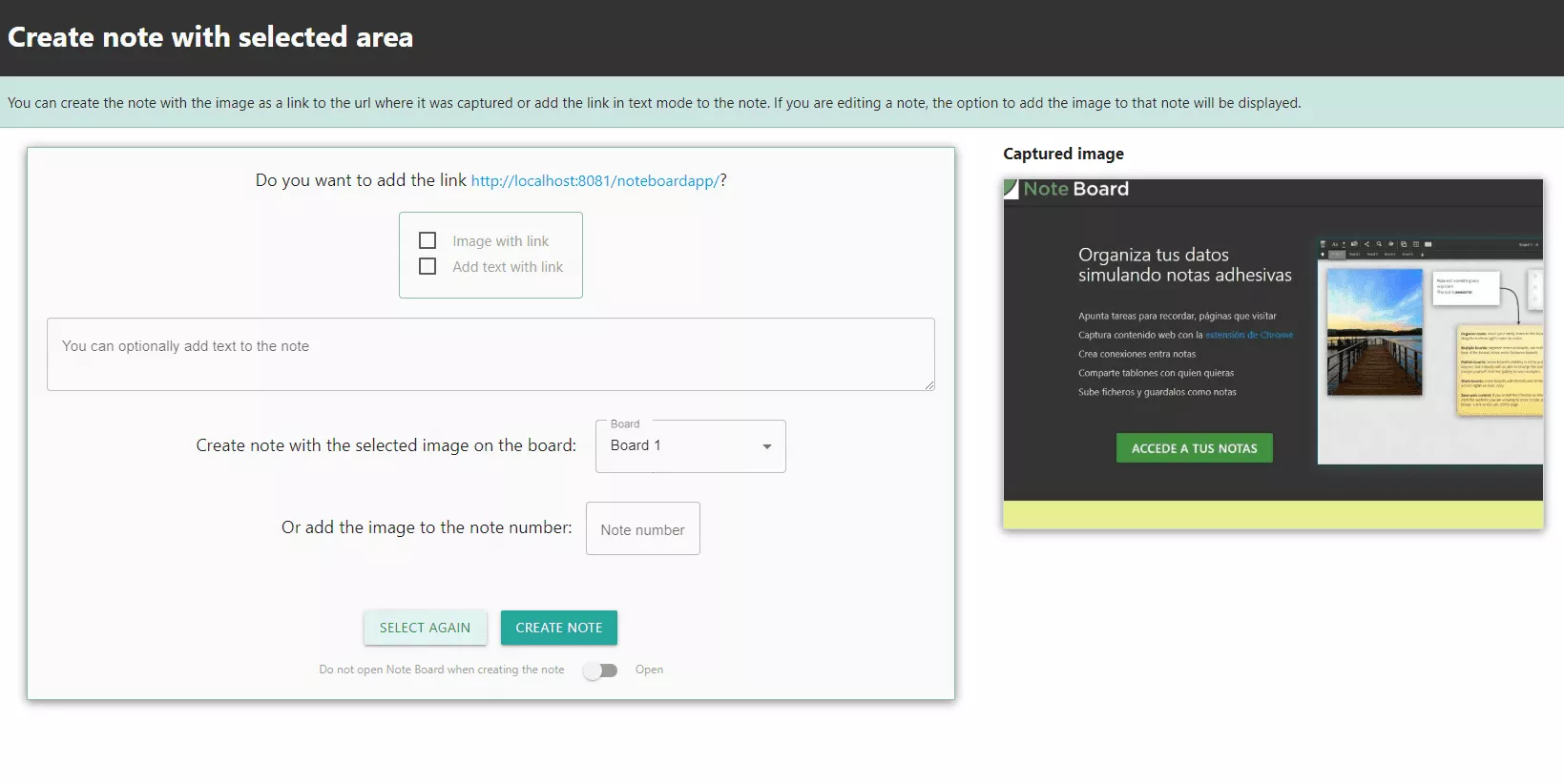
Screenshot in image or video. The possibility of capturing an image of the screen is added to the context menu, crop the part that interests you and create a note with the image. You can also do a video capture from the desktop and save it in a note.
In the image you can see the creation screen of the note with the captured image.
In the image you can see the creation screen of the note with the captured image.
Other news:
- Sharing boards with friends is now in real time for premium users.
- Multiple selection of notes by drawing a square on the board by pressing the right mouse button and dragging.
- New version of the note editor.
- Close editor saving changes by double clicking on the board.
- New backgrounds and fonts.
- Option to create a note with the embedded content of another page when possible.